

Get Android My Number Card Ready in Google Wallet
Japan starts Android My Number Card in Google Wallet on October 20, 2026. Prepare the Myna app, PIN, and supported phone before launch.
Japan’s Digital Agency has set October 20, 2026 as the planned start date for Android My Number Card inside Google Wallet. The service expands the smartphone electronic certificate already available on Android, and adds an attribute-proof function for in-person identity, age, and residency checks.
If you already use a physical My Number Card, the two weeks before launch are the useful window. Confirm your phone is on the current supported list, update the Myna app, and keep your card PINs handy. The Digital Agency says further device details for the refreshed service will be published by the start date.
What changes on October 20
The current product is the Android smartphone electronic-certificate service. Card holders load a free phone certificate through the Myna app (the former Myna Portal app). That certificate already covers online government tasks and some in-person readers.
From October 20, the Digital Agency plans to refresh and expand that service under the name Android My Number Card, stored in Google Wallet. Existing uses stay in place. The new piece is attribute proof: a credential that can present government-verified details such as name, address, date of birth, sex, and facial photograph for face-to-face checks.
At launch, the agency says those checks are for in-person government and commercial services. A shop or counter still has to support reading the phone credential. Organizations can install the free My Number Card face-to-face verification app from the Digital Agency, or use approved vendor software.
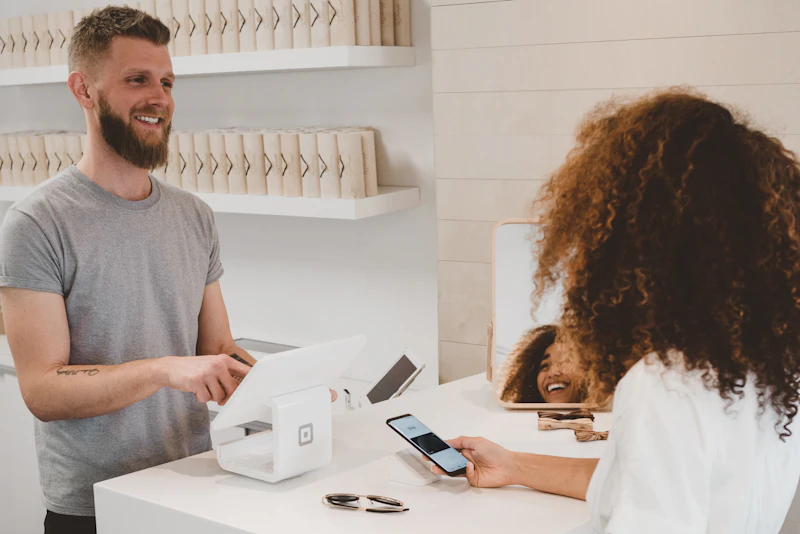
What you can already do on Android
Do not wait for October 20 if you only need the current certificate. The Digital Agency lists these uses for the smartphone electronic certificate today:
- Sign in to Myna Portal to review medicine, medical costs, and pension records, and to file moving procedures.
- Collect copies of a residence certificate or a seal-registration certificate at convenience stores that support the service.
- Check in at clinics and pharmacies that accept the smartphone My Number health-insurance card.
- Sign in to the National Tax Agency filing corner and submit returns through e-Tax.
Private services such as bank or mobile-phone applications are listed as planned where each provider has enabled the certificate. Check that provider’s own notice before you rely on it.
The certificate is stored in the phone’s GP-SE secure element. The agency describes that storage as the reason the phone version can stand in for the plastic card for supported tasks.
Check your phone before you start
The Digital Agency says the current electronic-certificate service works on more than 200 models. Open the supported-device list from the official Android My Number Card page and match your exact model name, not just the brand.
The October 20 credential also needs a phone with a security chip that meets the government’s specification. The agency has not published that full criteria or a final device list yet. It says compatibility information will be available by the start date. If your model is missing from the current list, do not assume the refresh will add it.
iPhone has a separate My Number Card service. This guide covers Android and Google Wallet only.
Step-by-step: load the certificate with the Myna app
These steps follow the Digital Agency’s current “how to start” flow. The October 20 refresh uses the same app path, with Google Wallet as the place the card lives.
- Install or update the latest Myna app from Google Play. The agency still points users at this app for adding the phone certificate.
- Have your physical My Number Card, the 4-digit PIN for the user-proof certificate, and the 6-to-16 character signature password. You set these when the card was issued.
- Turn on NFC, then open the Myna app and choose the option to add the smartphone electronic certificate.
- Follow the on-screen prompts to read the physical card and enter the PIN the screen asks for. Do not guess. Too many wrong attempts can lock the card, and a municipal office has to reset it.
- Complete biometric setup if the app asks for face or fingerprint. App and website sign-in can use that biometric instead of typing a PIN every time.
- After October 20, open Google Wallet and confirm the My Number Card pass appears. If it does not, return to the Myna app and finish any remaining link step shown there.
The service is free to add. You still need a My Number Card in your name.
That video covers everyday Google Wallet setup on Android, including NFC and the default wallet app. It is not a Digital Agency tutorial. Use it only to confirm Wallet itself is ready before the My Number pass arrives.
How a clinic or counter check works
For a clinic or pharmacy that already accepts the smartphone health-insurance card, the Digital Agency’s reader flow is short.
- On the face-recognition card reader, choose smartphone use.
- Enter the 4-digit PIN for the smartphone certificate.
- Hold the phone to the reader.
Not every clinic has turned this on. The Ministry of Health, Labour and Welfare publishes a search page for facilities that accept the smartphone My Number health-insurance card. Search before you leave the plastic card at home.
For the new attribute checks after October 20, the counter must be able to read the Wallet credential. If staff ask you to open the plastic card instead, the reader software is not ready yet. That is a site limitation, not a failure of your phone setup.

Tips before launch day
- Update Google Play services and Google Wallet in the week of October 20. The pass is delivered through Wallet, so an old Wallet build can hide it.
- Set Google Wallet as the default wallet app if a Samsung phone also offers Samsung Wallet. NFC readers talk to the default wallet.
- Write down which PIN is the 4-digit user-proof PIN and which is the alphanumeric signature password. The reader and e-Tax ask for different ones.
- Keep the plastic card. Convenience-store kiosks and some counters will keep asking for it until they update readers.
- If you also use Gemini with Wallet for pass and spending questions, that connection is separate from the My Number credential. See the Google Wallet and Gemini connection guide for the consumer pass flow. Do not paste My Number digits into a chat.
What not to expect on day one
The Digital Agency’s October 2 notice is a schedule, not a claim that every counter will read phones on the morning of October 20. Attribute checks start with services that adopt the free verification app or certified reader software.
Device compatibility for the refreshed card can differ from the 200-plus list used by today’s certificate. Recheck the official page on launch day before you travel to a ward office.
The agency has not said the plastic card will be retired. Treat the phone pass as a second way to prove the same record, available only where the reader and your model both qualify.
Conclusion
Android My Number Card is a dated rollout, not a vague pilot. The Digital Agency plans to start it on October 20, 2026, inside Google Wallet, on top of the electronic certificate Android phones already support. Update the Myna app, confirm your model, and keep both PINs ready. Then use Wallet for the new in-person attribute checks only at counters that have installed a compatible reader.
Sources
- Digital Agency, “Android My Number Card scheduled to start on October 20, 2026” (notice dated October 2, 2026): https://services.digital.go.jp/mynumbercard-android/news/fec690c52f9ffeb35d30f/
- Digital Agency, Android smartphone electronic-certificate service page: https://services.digital.go.jp/mynumbercard-android/
- Biometric Update, summary of the October 20 Google Wallet attribute launch (October 6, 2026): https://www.biometricupdate.com/202610/japan-sets-october-launch-for-my-number-card-on-android
Share this story


