
How to Use Claude After Cowork and Chat Became One App
A practical guide to Anthropic's September 2026 Claude update: one conversation for chat and Cowork tasks, plus beta Claude Docs, Slides, and in-thread Design on Pro and Max.
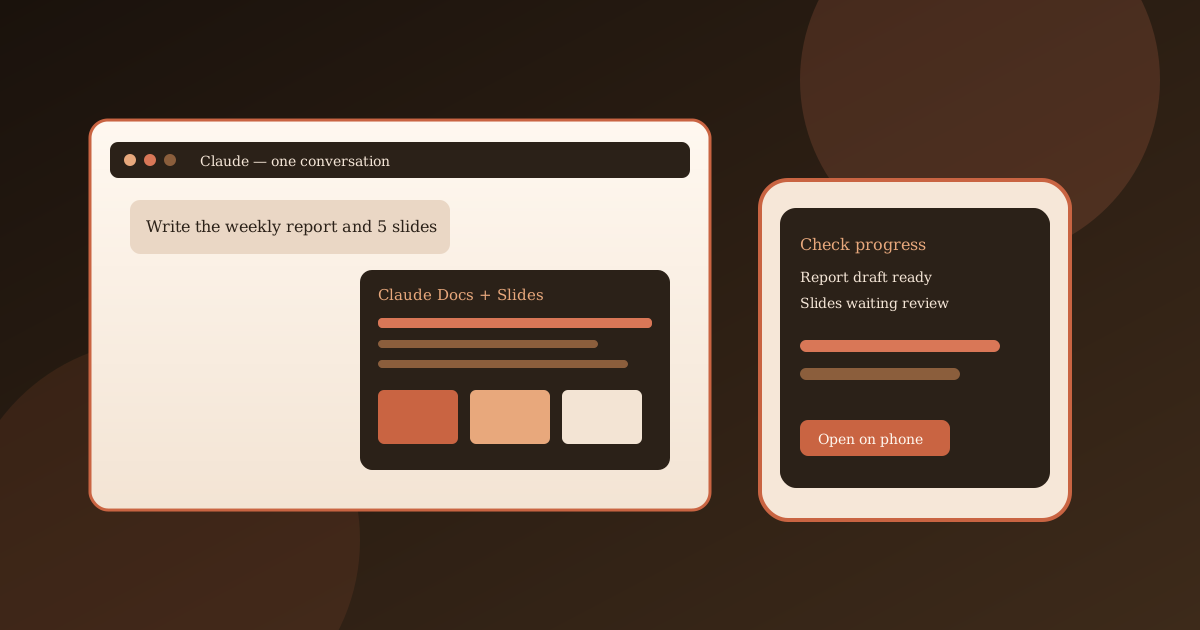
Anthropic no longer asks you to pick Chat or Cowork before you start. On September 16, 2026 it announced that those two surfaces are merging into a single Claude conversation. You can still ask a short question. You can also hand off a report that should keep running after the laptop lid closes. Claude decides what the request needs.
The same announcement added two beta editors — Claude Docs and Claude Slides — and put Claude Design inside ordinary chats. This guide covers what changed, who gets it first, and a workflow you can reuse for a weekly report plus a short deck.
What merged, and what stayed separate
Before this rollout, Cowork was the place for multi-step work: files, connectors, background tasks, and longer research. Chat was the place for a back-and-forth answer. People used both, then lost context when a task started in the wrong tab.
In the new experience:
- There is no Chat / Cowork toggle in the message box.
- Cowork capabilities (tools, background work, files, connectors, skills) are available from any conversation.
- Existing Cowork tasks, projects, artifacts, connectors, and skills carry over.
- Claude Code stays a separate product for coding-first work.
- Standalone Claude Design still works if you already use that site; Design also now runs inside conversations.
If you are on Pro or Max and still see Chat and Cowork buttons, you do not have the new UI yet. Anthropic is rolling it out in stages. Keep using the two modes until the toggle disappears. You do not flip a setting to enable it.

Who gets the update
Anthropic’s official notes:
- Pro and Max first, on web, desktop, and mobile, over the coming weeks
- Team and Free to follow
- Enterprise admins get at least 30 days’ notice before the change hits their org
- Claude Docs, Claude Slides, and in-conversation Design are beta on paid plans; Enterprise admins choose when those editors turn on
Usage still counts against your plan limits. Longer agentic tasks use more tokens than a one-line answer. Review outputs before you send them.
Watch Anthropic explain the merge
Official 71-second product clip from the Claude channel (Meaghan Choi on why a separate Cowork home stopped making sense):
Step-by-step: run a weekly report in one thread
This is the scenario Anthropic used in the announcement, written as a checklist you can copy.
1. Start in one conversation
- Open claude.ai or the desktop/mobile Claude app.
- Stay in a project if you already keep that team’s files and connectors there.
- Do not hunt for a Cowork tab if the new UI is live. Type the whole request.
A prompt that matches the product story:
Look at what moved in the pipeline last week. Write the weekly report the way we always do, flag anything that slipped, and put the highlights in five slides for the leadership meeting.
Add the actual sources in the same message: a spreadsheet, last week’s doc, a Drive folder, or a connector you already approved.
2. Choose how Claude checks in
By default Claude asks before taking an action. You can switch that so it keeps working and only pauses when something needs a closer look. You still approve the final doc and deck.
Use the stricter default the first time you connect a new data source. Loosen it after you have seen how the task behaves.
3. Let the task continue when you leave
Cowork-style work can keep running in Anthropic’s cloud after you close the laptop. Check progress from your phone. If Claude needs a clarification, answer from mobile so the report is not stuck overnight.
Cloud Cowork is documented separately in Anthropic’s help article on Cowork in the cloud. Treat network, file, and permission prompts as real security decisions, not noise.

4. Turn the same thread into a Claude Doc
When you want an editable document instead of a chat bubble:
- Ask in plain language: “Turn this plan into a product spec I can share.”
- Or start with
/docs - Or choose Output → Docs in the message box
- Or pick a Docs template in the Artifacts tab
Claude usually asks a few questions, then drafts on screen. You can comment in the doc, edit a paragraph yourself, and ask Claude to add a chart instead of pasting a screenshot.
Export options listed in Anthropic’s Docs help page:
- Word (
.docx) - Markdown
- Google Docs
You can also ask Claude to turn that doc into slides without starting a new chat.
5. Build the matching deck with Claude Slides
Slides used to live mostly inside Claude Design. Slides now has its own starting point so a deck is easier to request.
Useful prompts from Anthropic’s Design/presentations tutorial still apply:
- “Create a 10-slide deck about Q1 results with sections for revenue, product updates, and team highlights.”
- “On slide 3, change the headline to Market Opportunity and rewrite the bullets around TAM.”
Then:
- Edit a slide directly on the canvas, or leave a comment for Claude.
- Present from Claude, or download PowerPoint or PDF.
- Share the single link Anthropic gives you for Docs, Slides, and Design artifacts so a teammate can open it on a phone.
Because the deck grew from the same conversation as the report, the numbers should match. Still open the source spreadsheet before you present.
6. Pull in Claude Design when you need a visual, not a slide
Ask for a one-pager, a mockup, or an on-brand graphic in the same thread. You can also choose Output → Design. Existing standalone Design projects stay listed under the Design / Artifacts area.
Export paths documented for Design include PDF, PPTX, zip, standalone HTML, and (on claude.ai/design) Google Slides.
A second official walkthrough for older Cowork habits
If you still think in “dispatch a task from anywhere,” this earlier official clip is useful while the UI is mid-rollout:
Practical limits
- Staged rollout. Same plan, different users, different weeks.
- Paid-plan betas. Docs, Slides, and in-thread Design are not a Free-tier promise today.
- Enterprise delay. Admins control timing and the new editors.
- Review loop. Claude can draft a case list or a pipeline summary; you still own accuracy.
- Connectors and files. Only attach sources you are allowed to share with the model.
- Scheduling. Anthropic describes scheduling a Monday report so Claude starts without a new prompt. Confirm that control is visible on your account before you depend on it.
Conclusion
The useful change is not a new brand name. It is one thread that can answer a question, keep working in the cloud, write a Doc, and spit out five slides that already match the report.
If the Chat / Cowork toggle is gone, start the next messy deliverable in that box and name the output (doc, deck, or both). If the toggle is still there, use Cowork the way you do today and watch for the merge. Official detail lives on Anthropic’s announcement and the Help Center article.
Sources
- Claude Cowork and chat are now one Claude — Anthropic, September 16, 2026
- Claude Cowork and chat are one Claude — Claude Help Center
- What to expect with Claude Cowork in the cloud — Claude Help Center
- Get started with Claude Docs — Claude Help Center
- Get started with Claude Design — Claude Help Center
- Claude Artifacts — product page (Docs, Slides, Design beta notes)
- Using Claude Design for presentations and slide decks — Anthropic tutorial
Share this story


